Polycarbonate Laser Engraving and Cutting


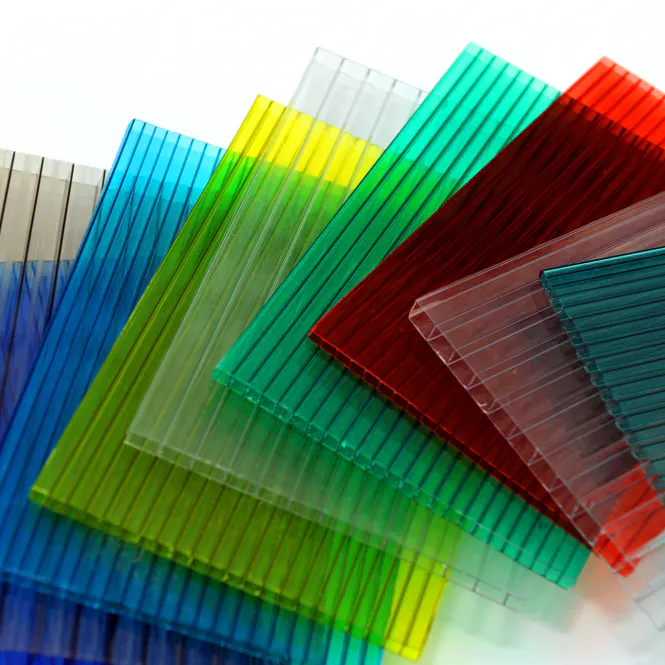
Whether it’s for functional purposes or aesthetic reasons, you might discover a need to engrave or laser cut polycarbonate products. It’s a precise way to make repeatable cuts with clean edges, and there’s no tool wear to worry about, either. The only downsides are that it often creates burred finishes, or discoloration and charring on the cut edges, and requires experience, the right supplies, and a careful hand to keep the process safe. We’ll break down the steps you’ll have to take to use a laser engraving tool and some advice for a successful project.
How To Laser Cut and Engrave Extruded Polycarbonate
Here is a general look at the steps involved in laser cutting polycarbonate sheets:
- Gather up your supplies and high-powered CO2 laser.
- Choose the polycarbonate sheets you’ll be engraving—preferably with a width of no more than 3mm.
- Open your project file within the design application you created it in and connect it to the laser/engraver interface.
- Adjust the machine’s settings as necessary.
- Put the sheet on the machine’s cutting bed.
- Before starting on your main piece, do a test to check all the settings are as they should be, then you’re good to go.
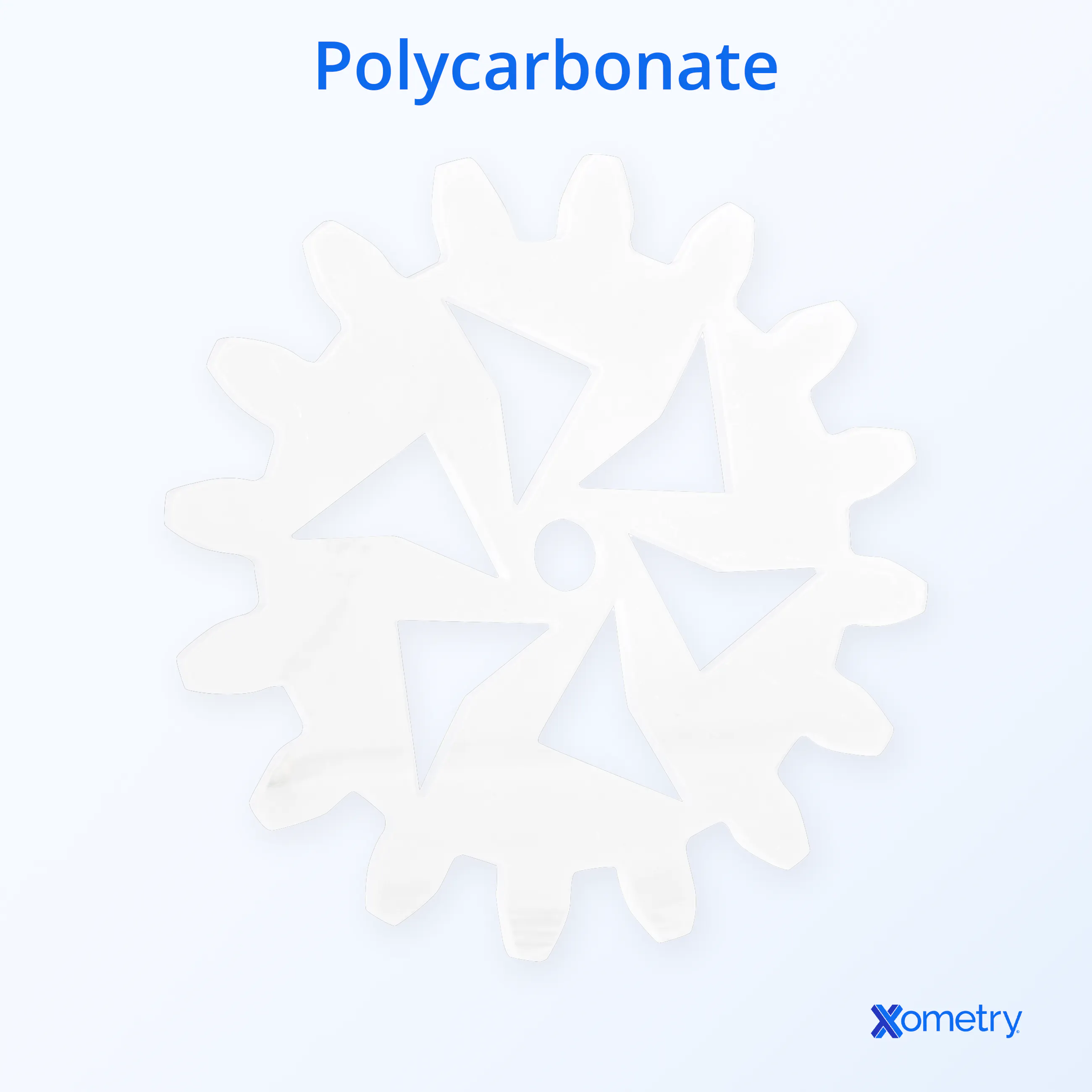
Below is an example of a laser-cut polycarbonate item we made at Xometry.
How to Laser Cut and Engrave Cast Polycarbonate
Polycarbonate is only extruded, not cast.
What Are the Differences Between General Part and Presentation Part Cutting for Polycarbonate?
It’s good to consider what the polycarbonate is going to be used for once it’s engraved, as this will help you decide the best method for cutting. In many instances, you’ll notice that polycarbonate sheets can get a bit stained around the edges, which is fine for components that will be used but won’t be on display, so don’t have to be particularly attractive. For presentation parts, laser cuts create a distracting and, quite frankly, ugly finish, especially anything under 3mm or over 8mm in thickness.
So while laser engraving is a perfectly acceptable technique for general parts and in cases where you’re not concerned about any tarnished parts, presentation parts will need to be cut with lasers at a higher speed of around 70mm per second. This is because cutting at a slower speed exposes the material to heat for longer, giving it more time to char. A quicker laser speed can keep the change of color to a minimum. When working with a CO2 laser (the type we recommend to our customers), try to keep it between 50–100 watts.
Recommended Settings
There are settings and specific measurements to have in mind in order to get the best laser cut or etching possible on polycarbonate. You’ll also want to know how these factors all impact one another.
The thickness of the polycarbonate sheet you’re cutting will make a difference in the end result (the thicker it is, the harder it is to get a clean cut and the more power, energy, and time it will need to properly cut and melt through it). The best thickness is 1mm or under, but you can work with up to 3mm. The power levels will vary based on this (i.e., a very thin piece may only need 50 watts, whereas a thicker piece will need 150 watts).
For resolution, go with 400 PPI (160 PPcm) and a 2-inch lens. The laser’s frequency should be about 50 kHz, and the gas pressure around 400 kPa (this will help push out the melted material faster and avoid that dreaded discoloration). You can approach the whole method in two ways, depending on whether you’re working with a high-power or low-power machine:
- High power: Set these machines to lower outputs, like 75–100 watts on a 150-watt cutter. Then you can fine-tune the speed as you see fit, normally this will be around 50–75 mm/s.
- Low power: This is often better for thicker sheets of polycarbonate, which can’t be lasered with other machines. Use the full power of the machine and give it two to four passes at the highest speed it can go.
The best way to avoid any problems is by using a high-powered laser (like CO2) on the fastest speed possible. Another final tip is to keep the protective film on the polycarbonate in place until you’re completely done cutting or etching.
What Is the Fastest Speed for Polycarbonate with Presentation Parts?
The fastest speed for polycarbonate parts intended for presentation is 70 mm/second. For polycarbonate presentation parts, the discoloration of cut edges must be avoided, so fast speeds like this keep discoloration to a minimum. Lasers cut by melting the polycarbonate, but if the laser moves too slowly, there will be a large heat-affected zone adjacent to the cut, with a noticeable buildup of charred decomposition products.
What Is the Best Power for Polycarbonate with General Parts?
The best power setting for general-part polycarbonate cuts is between 50-100 W using a CO2 laser. Due to the material’s absorption capability, higher power is generally better when cutting polycarbonate. It is more critical to use higher power for presentation parts, as speedy cuts leave less discoloration behind. However, for general parts, some yellowing of the edge is acceptable, and a lower power of around 50 W can be used.
How Does the Thickness of a Polycarbonate Sheet Affect the Wattage Required by a Laser Cutter?
A thicker polycarbonate sheet will demand more power (wattage) out of the laser cutter. The power is proportional to the energy transferred to the material to cut it. Thicker polycarbonate requires more energy to reach melting temperature.
Most laser-cutter users recommend sticking with polycarbonate sheets of 1 mm or thinner. A power of 50 W should be suitable for sheets this thin. Success can be achieved with sheets of up to 3 mm in thickness, but only with caution and incremental adjustments to the settings. Cutting thicker sheets of polycarbonate with a laser cutter will result in more charred, melted edges. A laser with a power of 150 W is recommended for cutting 3 mm polycarbonate.
Thicker sheets will also take longer to cut — it must either be done at slower speeds or over the course of multiple passes.
What Is the Best Setting for Laser Cutting Polycarbonate?
It is best to use a high-wattage laser cutter to cut polycarbonate. A 50.8mm (2”) lens is recommended, with a resolution of 160 PPcm (~400 PPI). The frequency of the laser should be set as high as possible (around 50 kHz). The pressure of the assist gas should also be high (in the order of 400 kPa) as the higher pressure will expel melted material more quickly. This will limit the amount of discolored melt that solidifies on the cut surface.
Two possible approaches can be used for the laser cutting settings:
- It is good to set high-power machines to lower outputs. A 150 W cutter, for instance, would be operated at 75-100 W. The speed is then fine-tuned such that the cut will be finished in a single pass. That usually means a speed of 50-70 mm/s.
- The second approach to laser-cutting polycarbonate is aimed at lower-powered machines. This approach can also be used on thicker sheets of polycarbonate. Use the full power of the laser cutter and increase the speed so that it takes 2 to 4 passes to complete the cuts. By using this fast speed, edge charring and discoloration are minimized.
What Are the Common Mistakes Made When Laser Cutting Polycarbonate?
There are a number of common mistakes that are made when laser cutting polycarbonate. These include:
- Trying to cut sheets that are too thick.
- Cutting at an insufficient speed.
- Using a low-power laser cutter.
What Are the Best Beginner Tips for Laser Engraving Polycarbonate Sheets?
If you are a beginner in laser-cut polycarbonate, remember these tips:
- Use a high-powered CO2 laser.
- Use the fastest speed which allows the part to be popped out in a single pass.
- Leave the plastic protective film on the part until after cutting.
What Is the Advantage of Laser Cutting Polycarbonate?
The advantage of laser cutting polycarbonate is the high precision. For thin sheets, this gives clean edges and repeatable cuts. A secondary advantage of laser cutting polycarbonate is the absence of tool wear and the fact that you never need to change tools.
What Is the Disadvantage of Laser Cutting Polycarbonate?
An obvious disadvantage of laser-cutting polycarbonate is the laser’s tendency to leave yellow discoloration along the cut edges. This is a buildup of melted decomposition products created by the laser’s heat. Hardened melt can leave an imperfect, burred finish. Laser cutting of polycarbonate should be done only on sheets of the right thicknesses and with lasers that move at properly calibrated cutting speeds. Finding the right compromise may take some experimentation.
Which Laser Cutter is Best for Polycarbonate?
A 9.3-micron CO2 laser is best for cutting polycarbonate. Plastics very readily absorb CO2 lasers’ long wavelengths and the optical output power is sufficient for cutting. A 1.06-micron fiber laser, on the other hand, is best for engraving polycarbonate because it leaves a highly precise opaque black marking.
What Are Examples of Polycarbonate Projects for Laser Cutting?
Polycarbonate is an ideal material for the following projects due to its transparency and high impact strength:
- Greenhouse windows
- Clear roofing panels
- Models for high-heat applications (up to 240°F)
- Safety windows
- Vandal-proof (bullet-resistant) windows
- Windshields for boats or motor vehicles
- Clear guards for moving machinery
- Optical lenses
- Sport helmet visors
- Diffusers for LED lights
What Are the Alternatives to Polycarbonate for Laser Cutting?
Depending on the exact application, similar, alternative materials can be substituted where polycarbonate usually gets used. In laser cutting, the best alternatives to polycarbonate are as follows:
- Acrylic/PMMA
- ABS
- Polypropylene
What Is the Main Difference Between Polypropylene and Polycarbonate?
The main difference between the two is that polycarbonate has a significantly higher impact strength than polypropylene. Polycarbonate also resists temperatures up to 240°F while polypropylene’s strength fades above 190°F. Both are quite chemically resistant, but polypropylene tends to have better resistance.
Polypropylene is widely used as a thin, flexible packaging film and in clear containers.
What Is the Difference Between Polycarbonate and Acrylic in Laser Cutting?
The difference between polycarbonate and acrylic in laser cutting is that acrylic is much easier to cut and does not leave behind discolored edges. This is because acrylic evaporates directly, rather than leaving melt and decomposition products along the cut edge.
What Are the Best Materials for Laser Cutting, Including Polycarbonate?
Wood and plastics are generally the best-suited materials for laser cutting. With wood, care must be taken to prevent surface burns. Some plastics, meanwhile, should not be laser-cut because they form hazardous decomposition products. PVC, for instance, releases chlorine gas when melted by a laser. The best materials for laser cutting are given below:
- Paper
- Solid wood sheets
- Acrylic/PMMA
- Cloth
- Magnetic sheeting

How Xometry Can Help
At Xometry, we’re experts in polycarbonate and have several services that handle this material, which you can get free quotes for on our website. Learn more about what we can do for you when it comes to polycarbonate 3D printing or polycarbonate CNC machining.
Copyright and Trademark Notices
- LexanTM is a trademark of SABIC Global Technologies B.V.
- MakrolonTM is a trademark of Covestro Intellectual Property GmbH.
Disclaimer
The content appearing on this webpage is for informational purposes only. Xometry makes no representation or warranty of any kind, be it expressed or implied, as to the accuracy, completeness, or validity of the information. Any performance parameters, geometric tolerances, specific design features, quality and types of materials, or processes should not be inferred to represent what will be delivered by third-party suppliers or manufacturers through Xometry’s network. Buyers seeking quotes for parts are responsible for defining the specific requirements for those parts. Please refer to our terms and conditions for more information.